




Your LinkedIn profile is your digital first impression - it’s often the very first thing a potential client, recruiter, or collaborator sees. An optimized profile not only boosts your visibility in search results but also builds trust, credibility, and professional authority at a glance.
Think of it as your digital storefront. Every element - from your headline to your featured content - should tell visitors who you are, what you offer, and why they should connect with you.
Here, we cover 5 key steps to optimizing your LinkedIn profile for maximum visibility.
1. Intro: Make a strong first impression
Your introduction is prime real estate for standing out.
Profile photo & banner:
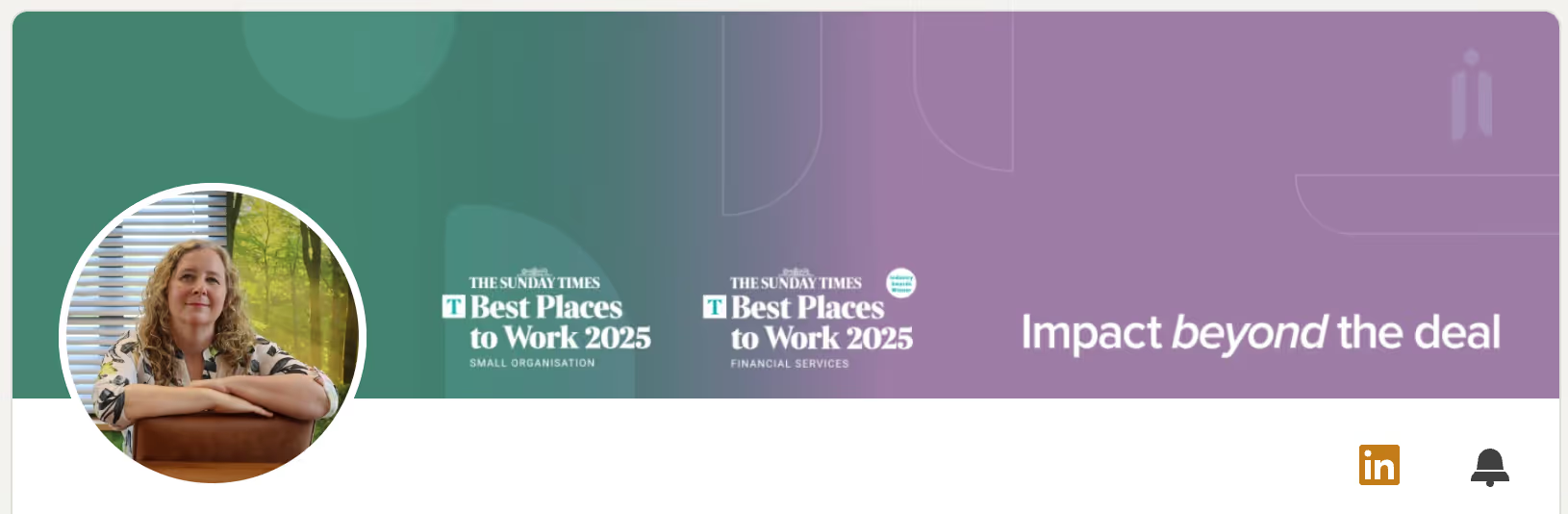
Start with a clear, professional headshot and a banner that visually reflects your brand. This could include your logo, signature colors, or a short tagline that communicates your core message. Together, they instantly establish professionalism and brand identity.
Here’s a nice example from Liz Jackson:
When it comes to your photo, a friendly appearance works wonders. Dux-Soup’s Head of Marketing tested this - you can see the results in his blog on driving the extra percent from LinkedIn lead generation.
Headline
Your headline is one of the most visible and influential parts of your profile. Instead of a job title, make it benefit-driven. Clearly state what you do and how you add value.
Example: “Helping businesses increase organic traffic through data-driven SEO strategies.”
Custom button & links
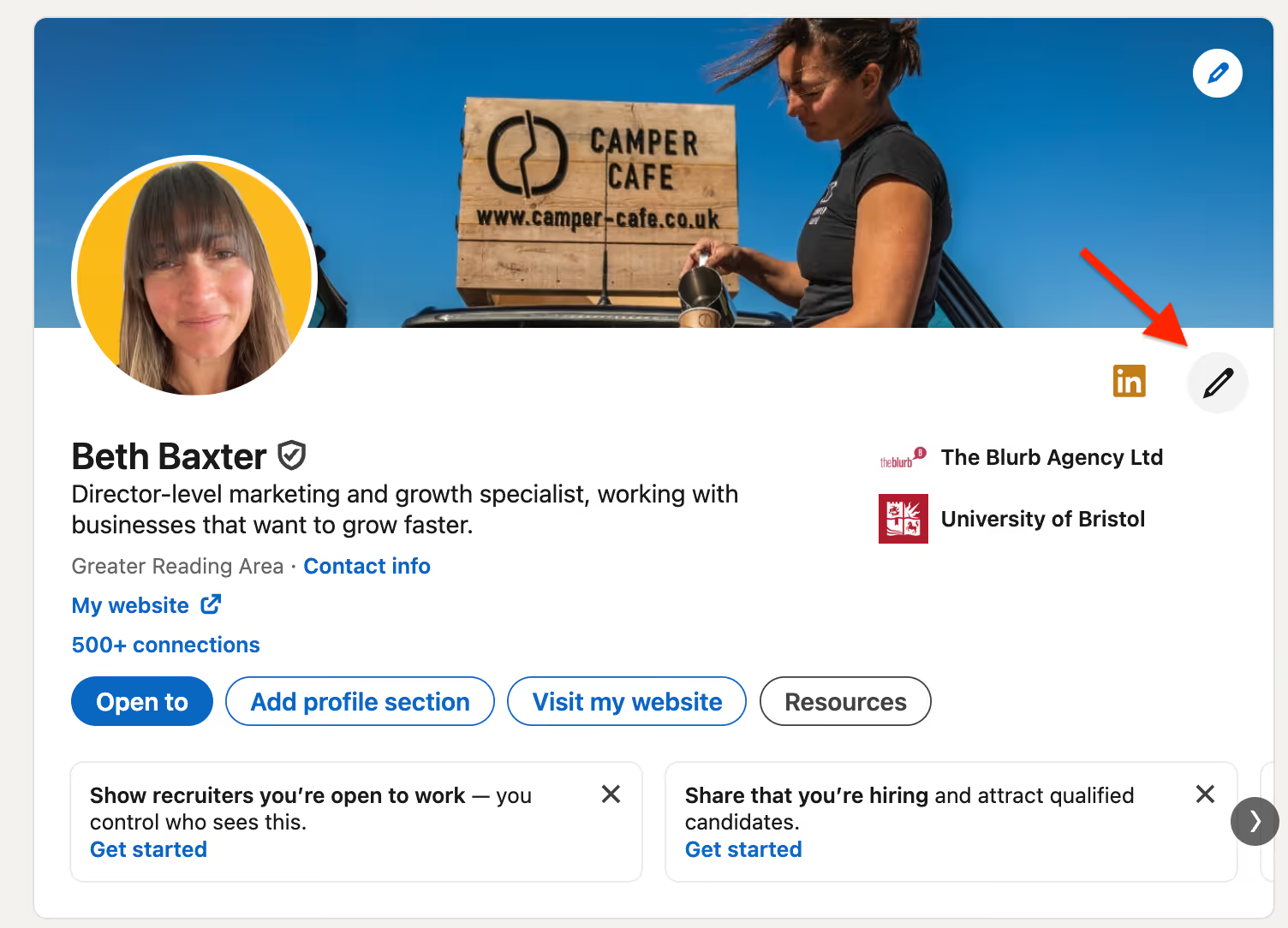
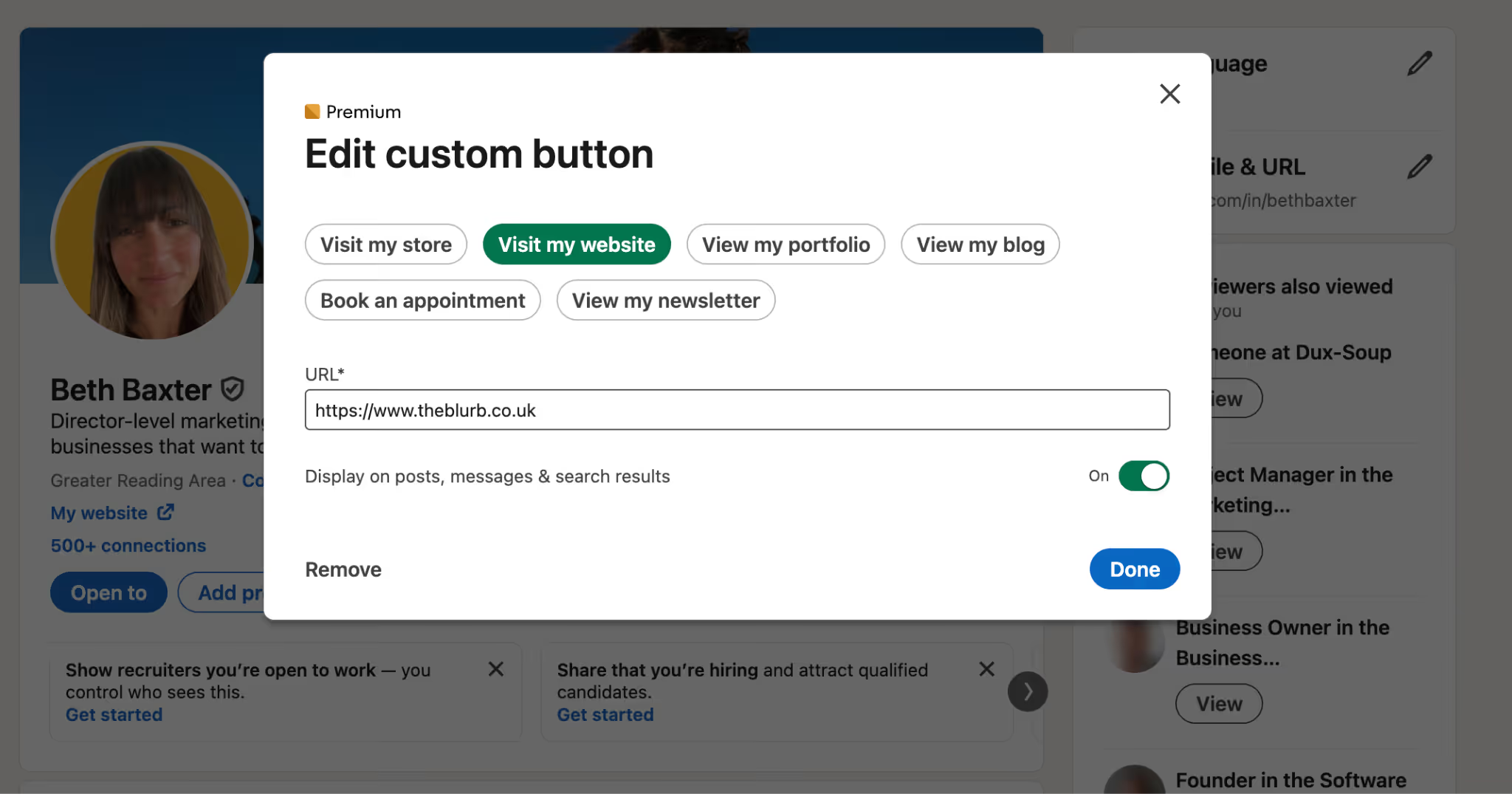
If you have a Premium LinkedIn account, take advantage of LinkedIn’s custom button feature to include your website, portfolio, or booking link. Make it easy for visitors to learn more about you or take the next step. You can edit your custom button from your profile.
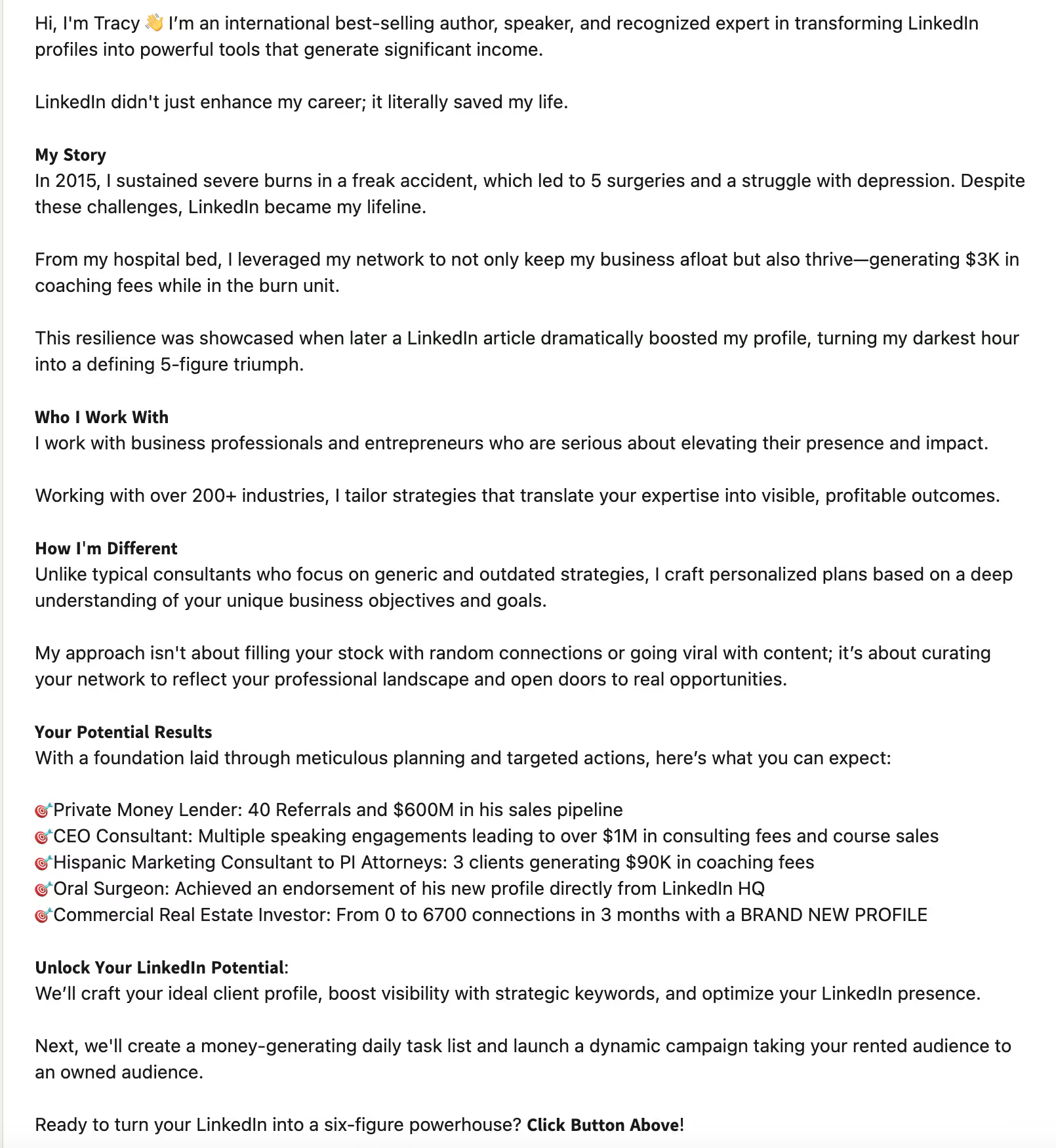
2. About: Tell your story with purpose
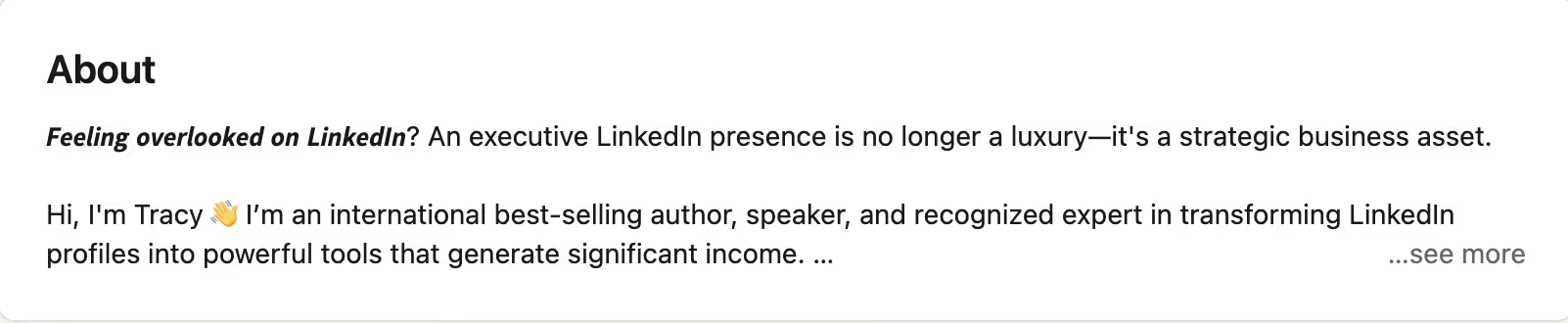
The first 3–4 lines of your About section are crucial - they act as a hook before someone clicks “See more.” Start strong by sparking curiosity or addressing your audience’s biggest pain point.
Once expanded, explain clearly what you do, who you help, and the results you deliver. Keep your writing conversational, direct, and focused on benefits rather than buzzwords.
To make it more engaging:
- Use short paragraphs and bullet points
- Highlight key achievements or services
Add a clear call to action (e.g., “Let’s connect to discuss how I can help your brand grow.”)
Here’s an example from LinkedIn guru Tracey Enos:
3. Featured: Showcase your best work
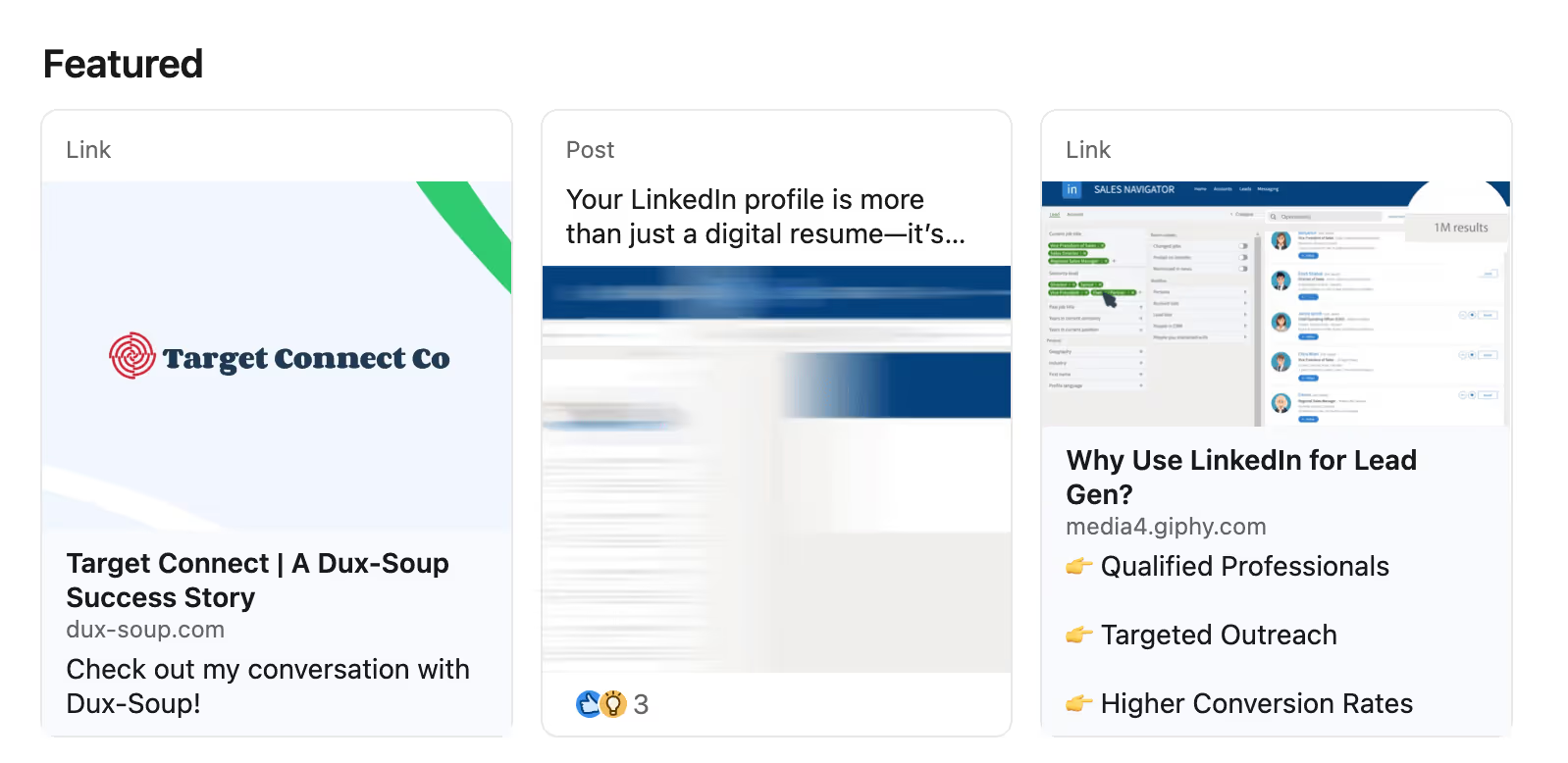
Many professionals overlook this section - don’t make that mistake. The Featured area is your opportunity to show, not just tell.
Include:
- Case studies or blog posts that demonstrate your expertise
- Client testimonials or success stories
- Visual media like presentations, videos, or infographics
This section reinforces your credibility and gives visitors proof of your impact. Here’s Jordan Evans’ awesome ‘Featured’ section:
4. Experience: Demonstrate credibility and results
Your Experience section should do more than list job titles - it should tell the story of your professional growth.
For each role, include:
- A short, results-driven description of what you achieved
- Key responsibilities and metrics that demonstrate impact
- Keywords relevant to your field (this helps boost search visibility)
Here’s a great example from Tyron Giuliani:
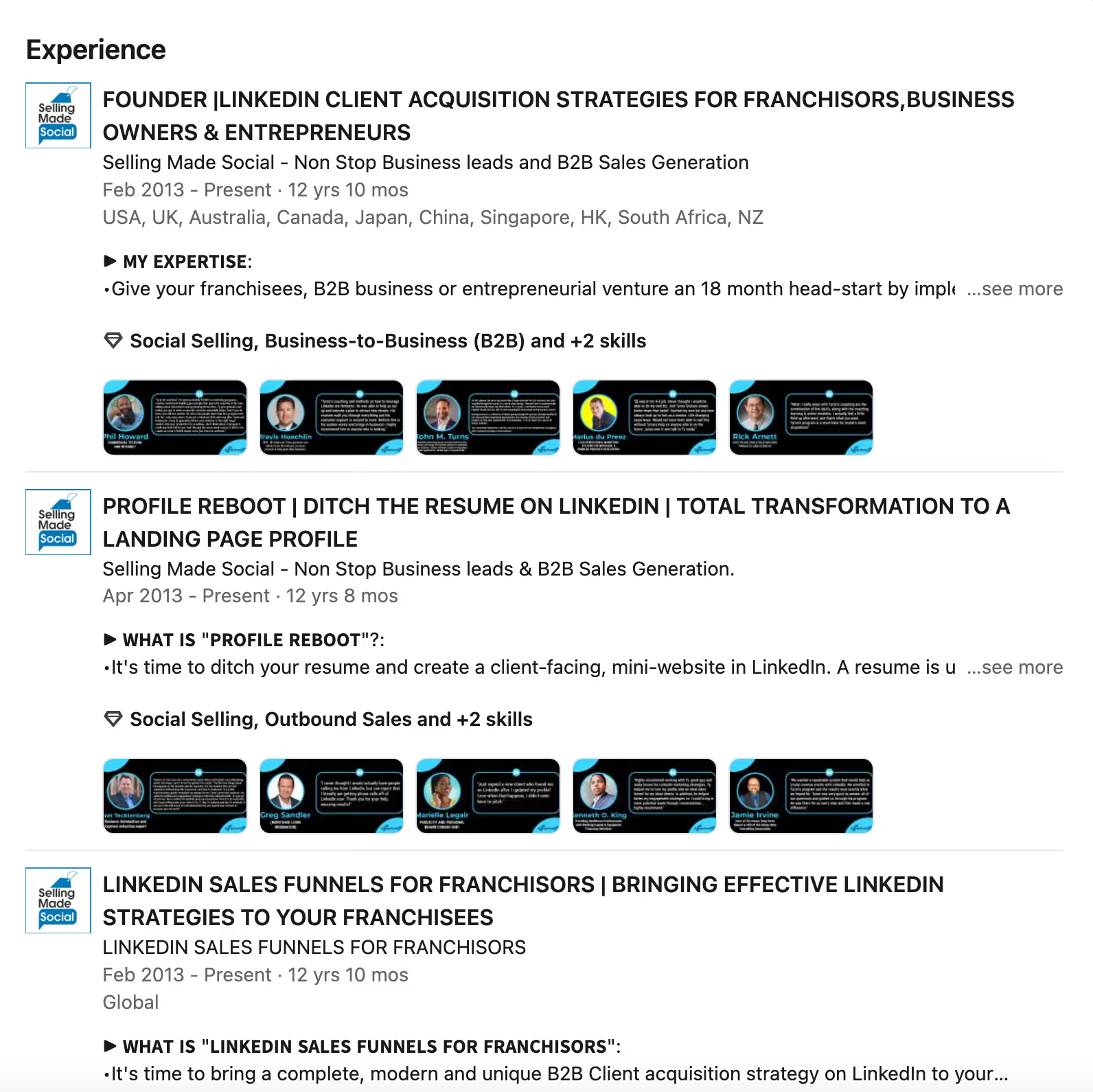
Focus on clarity, credibility, and measurable outcomes.
5. Projects: Highlight your impact
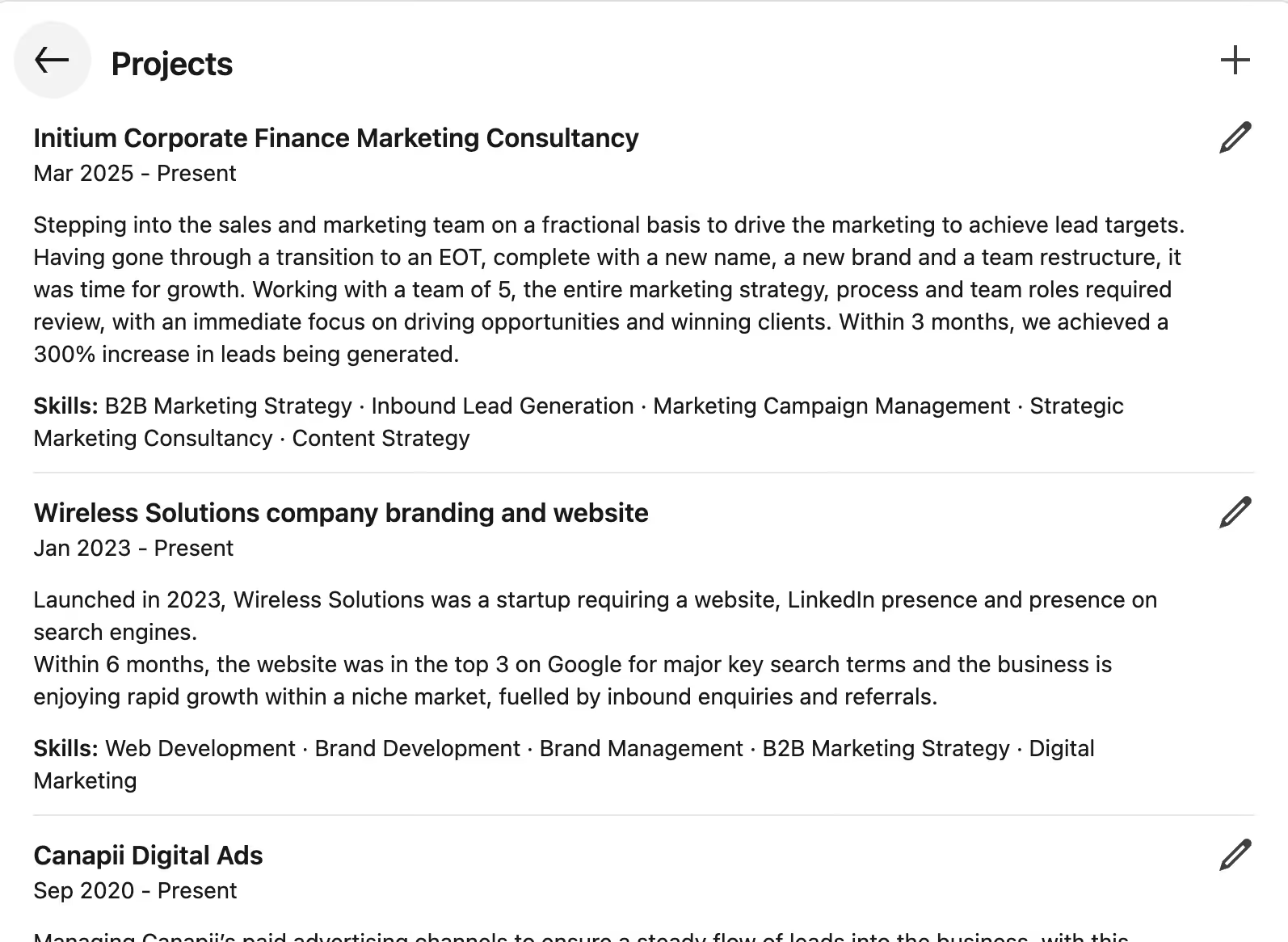
The Projects section is often underused but incredibly valuable. Use it to spotlight specific client projects, campaigns, or personal initiatives. If someone’s looking to hire your services, this is a great place to position your case studies and achievements, allowing them to tell a wider story on what you’ve delivered.
Each project should include:
- A clear title and short description
- The goals, actions, and results (where possible, include data or outcomes)
- Tags or mentions of collaborators for added credibility
This turns your profile into a mini portfolio, showcasing what you can actually deliver, like this example from Beth Baxter:
Final thoughts
Optimizing your LinkedIn profile isn’t just about filling out sections - it’s about strategically positioning yourself for maximum visibility and engagement. By refining your visuals, messaging, and proof of expertise, you’ll create a profile that attracts attention, builds trust, and converts views into valuable connections.


